Out of Your Head
Free and open source. No account, no cloud.
For people who stay ahead
Your date comes before the deadline. Work fills the first free moment or a block of time, not a slot in a calendar. Everything you planned gets done, and the evening stays yours.

-
Tomorrow or next week
A new task is due tomorrow unless you choose otherwise. The deadline is someone else's date; yours comes first.
-
The first free moment
Most work needs no hour booked for it. Do it the moment you are free, or give a project a block of time. The app opens on what is next.
-
Not a calendar
Meetings belong in your calendar; here they only show which time is taken. No reminders and no repeating tasks: nothing nags you, because nothing is late.
It opens on what is next
Today first, overdue on its own, then the week or the month. Everything else is one + away.
-
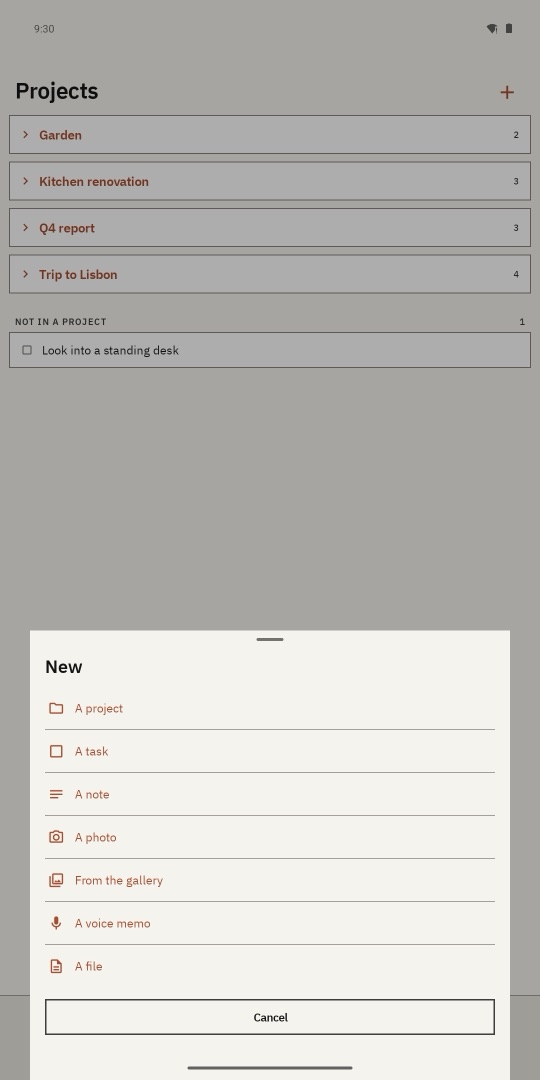
Press +
A project, a task, a note, a photo, a voice memo or a file. It is right on Incoming, where the app opens, and it is the only way in. Long-press it instead, and you are writing a note.
-
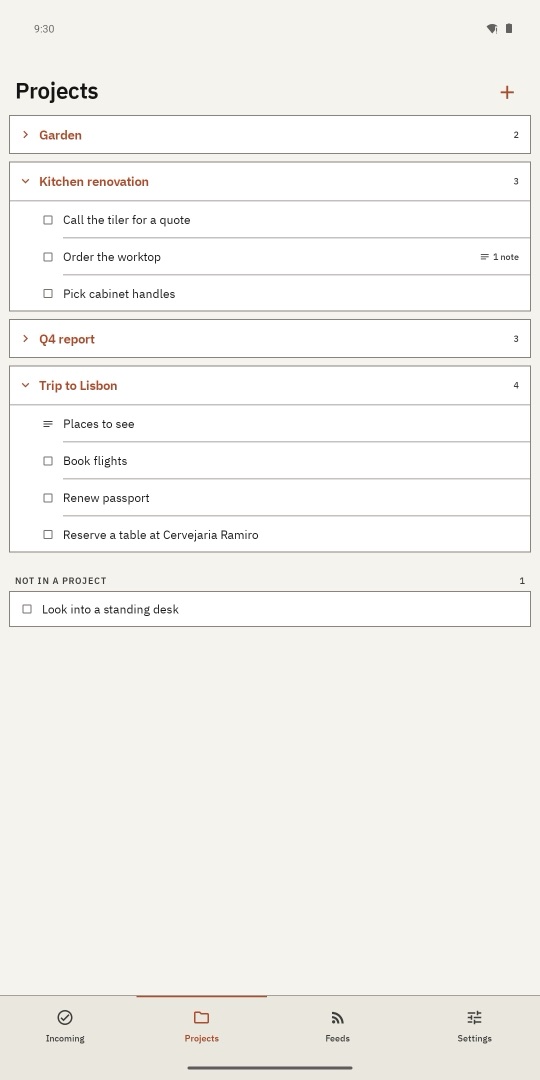
It goes where it belongs
A task goes into a project or your inbox. A photo, memo or file asks once: something to do, or something to keep?
-
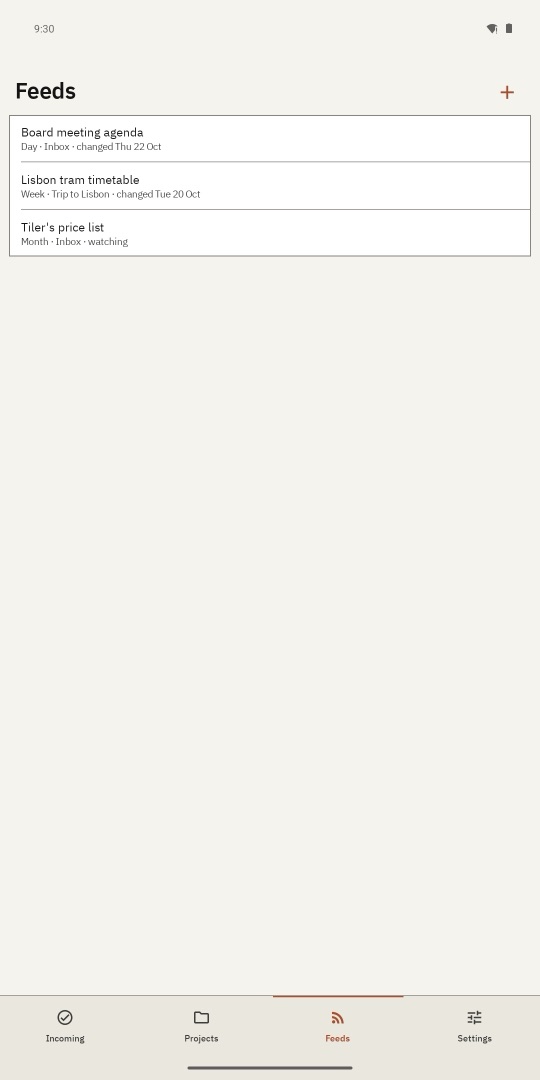
Watch a page
Add a web page or an RSS feed as a feed. Once a day, week or month it is checked, and a change becomes one task.
-
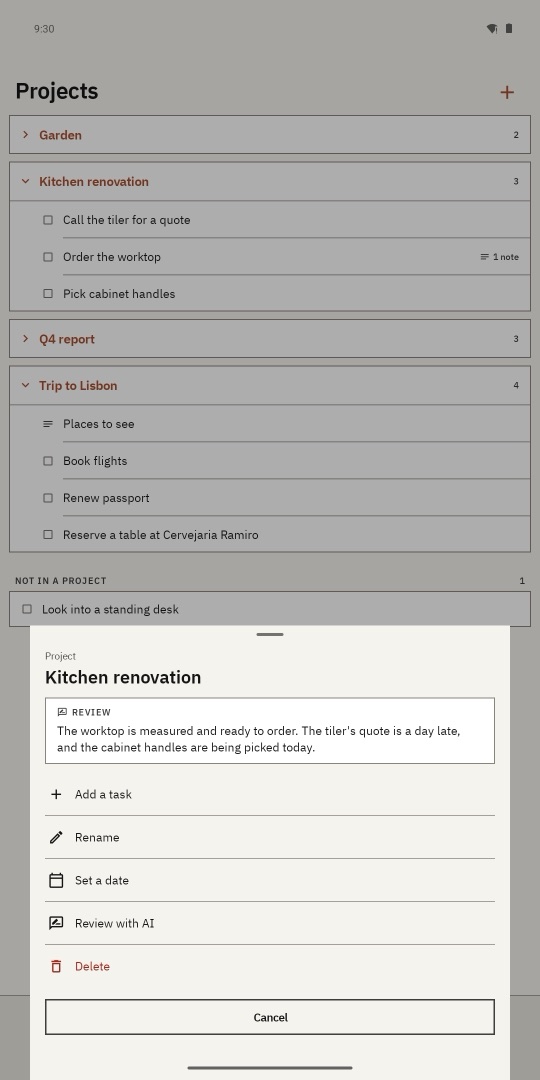
Review with AI
Long-press any project, task or note. The AI you chose sums up what happened in it, from its tasks and notes. The summary stays under its title, marked when something has changed since.


How many taps
| To | Taps |
|---|---|
| See what is due todayThe app opens on it | 0 |
| Add a task to a project | 4 |
| Add a task to the inbox | 4 |
| Write a noteLong-press + | 2 |
| Start a project | 3 |
| Keep a photo from the gallery | 4 |
| Record a voice memo | 4 |
| Attach a file | 4 |
| To | Taps |
|---|---|
| Capture from the home-screen widget | 2 |
| Write a note from the home screenTap New note, type, Done | 2 |
| Say a voice note from the home screenTap Voice note, speak, Stop | 2 |
| Take a photo note from the home screenTap Photo note, take it, confirm | 3 |
| Mark a task done | 2 |
| Review any item with AI | 2 |
| Watch a web pageStarts on the Feeds tab | 4 |
| Capture a file on the computerDrop it on the window | 1 |
Your AI, your choice
Pick one in Settings. Reviews go straight from your device to it. Nothing passes through us.
-
Your key
Claude
Anthropic's Claude, with your own API key.
-
Your model
OpenAI
Any server that speaks OpenAI's API, with a model you run yourself.
-
Your home
Agent
The AI agent you already run at home: OpenClaw, Hermes, opencode, Kilo or Ollama. It sees all your items, uses its own tools, and adds or finishes tasks when you ask.
Plug in your agent
Phone and computer, kept in step
Pair them once with a short code. From then on they keep each other current by themselves.

-
Your own Wi-Fi
The phone and the computer talk to each other directly. Every edit carries its time, and deletions travel too.
-
Yours, offline
Each device keeps a full copy and works without a connection. On the phone it is an encrypted database.
-
No account
Nothing to sign up for, and no server of ours. No ads, no analytics, no tracking.